EN
EN



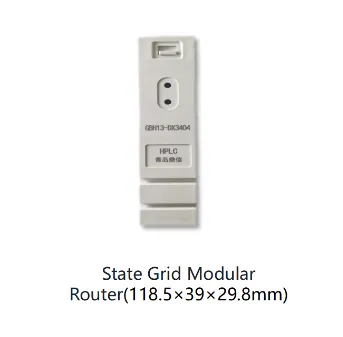
Бағдарлық жасақтаманы жаңарту — өнеркәсіптік жүйелерді сұладай жұмыс істеуін қамтамасыз ету үшін салауатты техниктердің реде орындайтын маңызды техникалық қызмет көрсету операциялары. Кең таралған орнатулар бойынша бағдарлық жасақтаманы жаңартқанда dCU ušin PLC moduli қауіпсіздік пен дәлдік ең басты талаптар болып табылады. Деректерді жинау бірлігінің интеграциясы ұқыпты жоспарлауды талап етеді, себебі дұрыс жасалмаған бағдарлық жасақтама жаңартулары деректерді жинауды бұзуы, жүйенің бүтіндігін зиятқа ұшыратуы және барлық желіңіз бойынша қымбатқа түсетін тоқтап қалуларға әкелуі мүмкін. Бұл нұсқаулық шынайы өнеркәсіптік орталарда қауіпсіз бағдарлық жасақтама жаңартуларын орындау үшін негізгі қадамдар мен ең жақсы тәжірибелерді қарастырады.
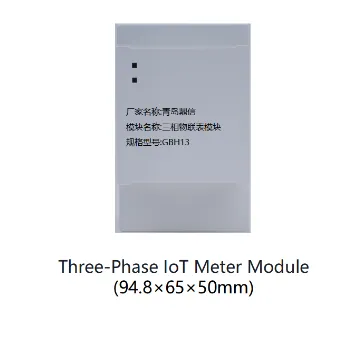
Программалық логикалық басқарушы (PLC) аппараттық құралдарымен жұмыс істейтін салалық техниктерге прошивка жаңартулары бірдей әдіспен орындалатын операциялар емес екендігін түсіну қажет. Әрбір PLC модулінде белгілі бір прошивка нұсқалары, сәйкестік шектеулері және инфрақұрылымыңыз бойынша әртүрлі болатын жаңарту тәуелділіктері бар. Кез келген жаңартуды бастамас бұрын техниктер мақсатты аппараттық құралдың жаңа прошивка нұсқасын қолдайтынын растауы, үзілістерге әкелетін өзгерістер туралы шығарылым ескертпелерін қарауы және деректер жинау құрылғысының интеграциялық нүктелерінің тұрақтылығын растауы қажет. Алдын ала уақыт жұмсау сәтсіз орнатуларды болдырмауға және өнеркәсіптік автоматтандыру байланыс протоколдарыңызды күтпеген әрекеттерден қорғауға көмектеседі.
Жаңартудың алдындағы жоспарлау және қауіп-қатер бағалауы
Аппараттық құрал мен сәйкестік талаптарын тексеру
Бағдарламаланатын логикалық басқарушының (PLC) құрылғысының сәйкестігін тексеру – бұл бірінші маңызды қадам. Әрбір PLC модулінің нақты микропрограммалық жабдықтау нұсқасына, жады шектеулеріне және процессордың техникалық сипаттамаларына қойылатын талаптары бар. Сіздің техниктеріңіз өрісте орнатылған нақты құрылғы ревизиясымен салыстыру үшін мақсатты микропрограммалық жабдықтау нұсқасын тексеруі керек. Микропрограммалық жабдықтау мен құрылғы арасындағы сәйкессіздік орнату сәтсіздігіне, қайталанатын іске қосылуға немесе деректердің бұзылуына әкелуі мүмкін. Кез келген жаңарту процесін бастамас бұрын ағымдағы микропрограммалық жабдықтау нұсқасын, құрылғы сериялық нөмірін және кез келген тәжірибелік конфигурацияларды құжаттаңыз.
Қайтару жоспарын құрыңыз
Сенің деректерді жинау бірлігінің интеграциясын күтпеген ақаулардан қорғайтын сенімді рөлбэк стратегиясы. Өрісте кез келген бірлікті жаңартуға дейін қазіргі firmware бинарын қауіпсіз, қолжетімді сақтау орнында сақта. Рөлбэк процедураны сәйкес аппараттық құрылғымен жабдықталған зертханалық ортада сынақтан өткізіп, оның сенімді жұмыс істейтінін раста. Техниктер сонымен қатар рөлбэк орындалғаннан кейін алдыңғы firmware күйін қалпына келтіру үшін қажетті дәл әрекеттерді, соның ішінде кез келген қолмен орындалатын конфигурациялық қалпына келтірулер мен желіні қайта конфигурациялау әрекеттерін де құжаттап отыруы тиіс.
PLC модулін жаңартудың қауіпсіз орнату әдістемесі
Жаңартуларды аймақтар мен сменалық кестелер бойынша кезеңдік орнату
Барлық ПЛК модульдарына кең таралған орнату аймағында бір уақытта жаңартуларды орнату қабылданбайтын қауіп тудырады. Оның орнына орнатуды логикалық аймақтарға, географиялық аймақтарға немесе өндірістік сменаларға бөліңіз. Алдымен шағын сынақ тобын орнатыңыз, оларды 24–48 сағат бойы бақылаңыз және деректерді жинау құрылғысының интеграциясы аномалияларсыз жалғасып келе жатқанын растаңыз. Тек тұрақты жұмыс істеуі расталғаннан кейін ғана келесі орнату толқынына өтіңіз. Бұл кезеңдік тәсіл қандай да бір ақау пайда болған жағдайда әсер аймағын шектейді және техниктерге проблемаларды таратылмас бұрын диагностикалау мен шешу уақытын береді.
Программалық қамтамасыз ету жаңартылуы кезінде құрылғыларды бөлек ұстаңыз
Bağдарламалық логикалық басқарушының аппараттық құрылғысын жаңартқан кезде желілік изоляция қателіктердің пайда болуын және байланыс тоқтап қалуын болдырмауға көмектеседі. Мақсатты PLC модулін өндірістік автоматтандыру байланыс протоколдарынан уақытша ажыратыңыз немесе кемінде бағдарламалық қамтамасыз ету файлын жіберген кезде оған белсенді деректер жинау сұраныстары жіберілмейтіндей етіп қамтамасыз етіңіз. Бағдарламалық қамтамасыз ету файлын тұрақты, кедергісіз арна арқылы жіберу үшін мүмкіндігінше тікелей сериялық немесе USB қосылуын қолданыңыз. Ауысу басталмас бұрын қосылу жылдамдығы мен деректердің бүтіндігін тексеретін қосымша кодтарды (checksums) растаңыз, сонда деректердің бұзылуын ерте анықтауға болады.
Жаңартудан кейінгі растау және бақылау
Деректерді жинау құрылғысының интеграциялық тұрақтылығын растау
Әрбір жаңартудың аяқталғаннан кейін техниктер dcu операциялары үшін PLC модулінің қалыпты базалық өнімділікке қайтқанын тексеруі тиіс. Жадының бүтіндігін растау үшін диагностикалық тексерулерді жүргізіңіз, қателерді анықтау үшін жүйе журналдарын тексеріңіз және барлық деректер жинау бірлігінің интеграция нүктелерінің дұрыс деректер беретінін растаңыз. Модульдің ішкі күй тіркелімдерін сұраңыз және уақыт белгілерін, санағыш мәндерін және байланыс статистикасын күтілетін мәндермен салыстырып растаңыз. Бұл растау қадамы сіз келесі бірлікке тікелей өтсеңіз, байқалмай қалуы мүмкін тыныш ақауларды анықтайды.
Өнеркәсіптік автоматтандыру байланыс протоколдарын бақылау
Өнеркәсіптік автоматтандыру құрылғыларының байланыс протоколдары тұрақты уақыттау, хабарламаларды пішімдеу және желілік әрекеттерге тәуелді. Жаңартылған прошивканы орнатқаннан кейін Modbus, Profibus, EtherCAT немесе жүйеңізде қолданылатын басқа қандай болса да протоколдар кез-келген кешігу немесе пакеттердің жоғалуынсыз жұмыс істейтінін растаңыз. Протоколды талдау үшін трафик үлгілерін тіркеуге арналған талдаушыларды қолданып, оларды жаңартудың алдында жиналған негізгі көрсеткіштермен салыстырыңыз. Хабарламалардың жауап уақытындағы, циклдық артықшылық тексеруінің (CRC) сәтсіздігінде немесе шлюздің байланысындағы уақыт аяқталуындағы кез келген ауытқу прошивкаға байланысты мәселелерді көрсетуі мүмкін, олар келесі орнату кезеңіне өтуге дейін тез қажет етеді.
Жиі қойылатын сұрақтар
Егер прошивканы жаңарту кезінде ауысу ортасында сәтсіз аяқталса, техниктер не істеуі керек?
Егер бағдарламалық қамтамасыз ету тасымалы сәтсіз аяқталса, PLC модулін тікелей қайта іске қоспаңыз. Алдымен қате хабарламасын және қосылу күйін тексеріңіз. Көптеген заманауи PLC модульдерінде тасымалды қайтадан әрекетке келтіруге мүмкіндік беретін қалпына келтіру режімдері бар. Егер модуль жауап бермей қалса, алдыңғы бағдарламалық қамтамасыз ету нұсқасын қалпына келтіру үшін сынақтан өткен резервтік әдісті қолданыңыз. Тек қалпына келтіру сәтті болғаннан кейін ғана модулді қайта іске қосып, жаңартуды қайтадан әрекетке келтіріңіз. Қателердің барлық оқиғалары туралы толық журналдарды сақтаңыз — бұл қатенің аппараттық немесе бағдарламалық қамтамасыз етуге тән екенін анықтауға көмектеседі.
Сіз жаңартулар кезінде деректерді жинау құрылғысының интеграциясын үзіліссіз ұстауды қалай қамтамасыз етесіз?
Бір уақытта бірнеше модульдің жұмысын тоқтатуды азайту үшін кезеңді, аймақтық жаңартуларды басымдық ретінде қолданыңыз. Егер dcu үшін бір PLC модулі жұмыс істемей қалса, альтернативті жинау бірліктері деректерді қабылдауды жалғастыру үшін резервті деректер жолдарын немесе ауысу шлюздерін қолданыңыз. Деректер жинау талаптары төмен болған кезде — төмен қозғалыс кезеңдерінде — жаңартуларды жоспарлаңыз. Операторлар жоғалған деректерді жүйенің істен шығуы деп қате түсінбес үшін төменгі деңгейлі жүйелер мен панельдерге қысқа мерзімді қызмет кезеңдері болатыны туралы хабарласыңыз. Нағыз жаңартуды орындағаннан бұрын ауысу логикаңызды сынаңыз, сонда альтернативті маршруттар қажеттідей жұмыс істейтініне көз жеткізіңіз.
Жаңартудан кейін бағдарламаланатын логикалық басқарушы (PLC) құрылғысының үйлесімділік мәселелері пайда болса, не болады?
Егер сіз бағдарламалық қамтамасыз ету жаңартылғаннан кейін сәйкестік мәселелерін анықтасаңыз, құжатталған резервтік жаңарту процесін қолданып, алдыңғы бағдарламалық қамтамасыз ету нұсқасына оралыңыз. Құрылғы өндірушісінің техникалық қолдау тобымен байланысыңыз, оған нақты аппараттық ревизия, бағдарламалық қамтамасыз ету нұсқасы және қате журналы деректерін ұсыныңыз. Сәйкессіздік үлгісін құжаттаңыз, сонда сіздің топңыз келешектегі циклдарда әсерленген құрылғы моделдері үшін бағдарламалық қамтамасыз етуді өткізу немесе жаңартуларды кешіктіру жоспарын құра алады. Жеткізушінің нақты нұсқауы болмаған жағдайда, сәйкессіз бағдарламалық қамтамасыз ету нұсқаларына түзетулер немесе уақытша шешімдер қолданбаңыз, өйткені бұл жүйенің қауіпсіздігі мен деректердің бүтіндігін бұзуы мүмкін.
Мазмұны
- Жаңартудың алдындағы жоспарлау және қауіп-қатер бағалауы
- PLC модулін жаңартудың қауіпсіз орнату әдістемесі
- Жаңартудан кейінгі растау және бақылау
-
Жиі қойылатын сұрақтар
- Егер прошивканы жаңарту кезінде ауысу ортасында сәтсіз аяқталса, техниктер не істеуі керек?
- Сіз жаңартулар кезінде деректерді жинау құрылғысының интеграциясын үзіліссіз ұстауды қалай қамтамасыз етесіз?
- Жаңартудан кейін бағдарламаланатын логикалық басқарушы (PLC) құрылғысының үйлесімділік мәселелері пайда болса, не болады?